

Installing an ultra-slim TV mount is a crucial step in setting up your home entertainment system, as it not only enhances the viewing experience but also ensures the safety and stability of your TV. One of the most frequently asked questions by customers, especially those new to mounting their TVs, is about the recommended height for installation. As a supplier of ultra-slim TV mounts, I'm here to share some insights and guidelines to help you make an informed decision.
Understanding the Basics
Before delving into the specific height recommendations, it's important to understand a few basic concepts. The primary goal of mounting your TV at the right height is to achieve a comfortable viewing angle. When the TV is mounted too high or too low, it can cause neck strain, eye fatigue, and overall discomfort during extended viewing sessions. Additionally, the height should be adjusted based on the type of viewing environment, the size of the TV, and the seating arrangement.
Factors Affecting the Recommended Height
Viewing Angle
The ideal viewing angle is considered to be between 15 to 20 degrees below the horizontal line of sight. This means that when you're sitting in your usual viewing position, your eyes should be slightly above the center of the TV screen. This angle helps to minimize glare, reduce eye strain, and provide a more immersive viewing experience.
TV Size
The size of your TV plays a significant role in determining the mounting height. Generally, larger TVs are mounted lower than smaller ones because the larger screen size allows for a wider field of view. For example, a 65-inch TV may be mounted lower than a 40-inch TV to ensure that the entire screen is within the comfortable viewing range.
Seating Arrangement
The distance between your seating area and the TV, as well as the height of your seating furniture, are important factors to consider. If you have a sectional sofa or a reclining chair, the height of the seat may be different from a standard chair. You should measure the height from the floor to your eye level when sitting in your preferred viewing position to determine the appropriate mounting height.
Recommended Heights for Different TV Sizes
Small TVs (32 - 40 inches)
For small TVs, the center of the screen should be mounted at a height of about 42 to 48 inches from the floor. This height is suitable for most standard seating arrangements, where the viewer's eye level is around 40 to 46 inches from the floor when sitting.
Medium TVs (42 - 55 inches)
Medium-sized TVs are typically mounted with the center of the screen at a height of 36 to 42 inches from the floor. This lower height helps to accommodate the larger screen size and provides a more comfortable viewing angle.


Large TVs (55 - 75 inches)
For large TVs, the center of the screen should be mounted at a height of 30 to 36 inches from the floor. This allows for a more immersive viewing experience, especially when watching movies or sports.
Special Considerations
Mount Type
The type of ultra-slim TV mount you choose can also affect the mounting height. For example, a fixed mount will keep the TV at a single height and angle, while a full-motion mount allows you to adjust the TV's position. If you have a full-motion mount, you may have more flexibility in terms of the initial mounting height, as you can tilt and swivel the TV to find the best viewing angle.
Wall Type
The type of wall you're mounting your TV on can also impact the installation process. If you're mounting on a drywall, you'll need to use appropriate wall anchors to ensure the stability of the mount. If you're mounting on a concrete or brick wall, you may need to use a masonry drill and special screws.
Step-by-Step Installation Guide
- Choose the Right Location: Select a wall that is free of obstructions and provides a good viewing angle from your seating area.
- Measure the TV: Determine the center of the TV screen and mark it with a pencil.
- Measure the Mount: Find the center of the ultra-slim TV mount and align it with the center mark on the TV.
- Mark the Wall: Use a level to draw a horizontal line on the wall at the desired mounting height. Then, mark the positions of the mounting holes on the wall according to the mount's instructions.
- Drill the Holes: Drill the holes in the wall using the appropriate drill bit for your wall type.
- Install the Mount: Attach the mount to the wall using the provided screws and wall anchors.
- Attach the TV: Carefully lift the TV and attach it to the mount using the mounting brackets.
- Adjust the Position: If you have a full-motion mount, adjust the TV's position to achieve the best viewing angle.
Our Ultra Slim TV Mounts
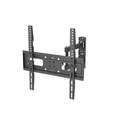
At our company, we offer a wide range of ultra-slim TV mounts to suit different TV sizes and installation needs. Our Ultra Slim Full Motion TV Wall Mount 65 Inch is a popular choice among customers. It features a sleek and modern design, allowing your TV to sit close to the wall for a clean and minimalist look. The full-motion functionality enables you to tilt, swivel, and extend the TV, providing maximum flexibility in adjusting the viewing angle.
Contact Us for Purchase and Consultation
If you're interested in purchasing our ultra-slim TV mounts or have any questions about installation, we're here to help. Our team of experts can provide personalized advice based on your specific requirements. Whether you're a homeowner looking to upgrade your entertainment system or a professional installer, we have the products and knowledge to meet your needs. Don't hesitate to reach out to us to discuss your options and start enjoying a better viewing experience today.
References
- CEDIA (Custom Electronic Design & Installation Association). (2023). Best Practices for TV Mounting.
- Consumer Reports. (2023). TV Mounting Guide.