

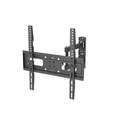
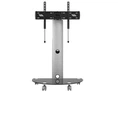
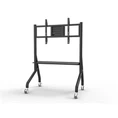
Hey there! As a TV cart supplier, I've seen firsthand how important it is to get the right angle for your TV on a cart. Whether you're setting up a home theater, a conference room, or a retail display, the angle of your TV can make a huge difference in the viewing experience. In this blog post, I'm going to share some tips on how to adjust the angle of a TV on a cart, along with some of the great products we offer that can help you do just that.
Why Adjusting the TV Angle Matters
Before we dive into the how-to, let's talk about why adjusting the TV angle is so crucial. First off, the right angle can reduce glare. Glare on the TV screen can be a real pain, making it hard to see what's going on, especially in rooms with lots of natural light or bright overhead lights. By adjusting the angle, you can minimize the reflection of light on the screen and enjoy a clearer picture.
Secondly, it improves the viewing experience. Different seating arrangements call for different TV angles. If you're sitting directly in front of the TV, a straight-on view is ideal. But if you have a wider seating area or if people are sitting at an angle, tilting or swiveling the TV can ensure that everyone gets a good view.
Tools You'll Need
Adjusting the angle of a TV on a cart doesn't require a lot of fancy tools. Usually, you'll just need a basic set of screwdrivers. Some carts come with easy-to-use knobs or levers that don't need any tools at all, but if your cart has screws that need tightening or loosening, a Phillips or flathead screwdriver should do the trick.
Step-by-Step Guide to Adjusting the TV Angle
Step 1: Check the Cart Type
The first thing you need to do is figure out what type of TV cart you have. There are different kinds of carts with various adjustment mechanisms. Some carts have a tilt feature, which allows you to angle the TV up or down. Others have a swivel function, which lets you turn the TV from side to side. And there are even some carts that offer both tilt and swivel capabilities.
For example, our Rolling TV Cart with Tilt is a great option if you need to adjust the TV's angle vertically. It's designed to be easy to use, with a simple tilt mechanism that lets you find the perfect viewing angle.
Step 2: Prepare the Cart
Before you start adjusting the angle, make sure the TV is securely attached to the cart. Check all the mounting bolts and screws to ensure they're tight. You don't want the TV to come loose while you're making adjustments.
Also, if your cart has wheels, lock them in place. This will prevent the cart from moving around while you're working on the angle adjustment, which could be dangerous.
Step 3: Adjust the Tilt
If your cart has a tilt feature, start by loosening the tilt adjustment screws or knobs. These are usually located on the back or side of the TV mount. Once they're loose enough, you can gently tilt the TV up or down to the desired angle.
Keep in mind that you don't want to tilt the TV too far. A slight tilt is usually enough to reduce glare or improve the viewing angle. Once you've found the right angle, tighten the screws or knobs back up to secure the TV in place.
Step 4: Adjust the Swivel
If your cart allows for swiveling, you'll typically find a swivel mechanism at the base of the TV mount. Similar to the tilt adjustment, you'll need to loosen the appropriate screws or knobs first.
Then, you can slowly turn the TV from side to side. This is especially useful if you have a large room or if you want to direct the TV towards different seating areas. Once you've set the swivel angle, tighten the screws or knobs to lock it in.
Our TV Cart Products for Easy Angle Adjustment
We offer a range of TV carts that are designed to make angle adjustment a breeze.
The Portable TV Stand with Laptop Shelf is not only convenient for moving the TV around, but it also has a well-designed tilt mechanism. This stand is great for home offices or small living rooms where you might need to adjust the TV angle depending on your seating position.
Our Universal Rolling TV Cart is another excellent option. It's suitable for a wide variety of TV sizes and offers both tilt and swivel functions. This means you can customize the viewing angle in multiple directions, making it perfect for large gatherings or commercial settings.


Troubleshooting
Sometimes, you might run into a few issues when adjusting the TV angle. If you find that the TV is difficult to tilt or swivel, it could be because the adjustment screws are too tight. Try loosening them a bit more, but be careful not to overdo it, as you don't want the TV to become unstable.
If the TV doesn't stay in the desired angle after you've tightened the screws, the screws might be worn out or the mounting brackets could be loose. In this case, you may need to replace the screws or check the mounting hardware to make sure everything is properly installed.
Conclusion
Adjusting the angle of a TV on a cart is a simple process that can greatly enhance your viewing experience. By following these steps and using one of our high-quality TV carts, you'll be able to get the perfect angle for your TV in no time.
If you're in the market for a new TV cart, we'd love to hear from you. Whether you have questions about our products, need help choosing the right cart for your needs, or are ready to place an order, don't hesitate to reach out. We're here to assist you every step of the way.
Let's work together to find the best TV cart solution for you and your space!
References
- General knowledge from years of experience as a TV cart supplier.