

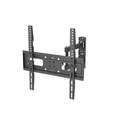
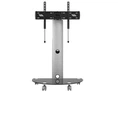
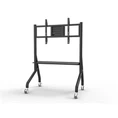
Selecting the optimal TV ceiling mount significantly enhances your viewing experience-maximizing space efficiency, elevating visual aesthetics, and enabling precise angle adjustment-whether for a dedicated home theater, a compact apartment, or a commercial environment. Yet with a wide array of mounting solutions available, making an informed decision demands careful consideration of compatibility, functionality, safety standards, and your unique installation requirements. This guide outlines the essential criteria to evaluate, empowering you to select a mount that is structurally secure, built to last, and precisely suited to your specific setup.
1. Start with your TV's Core Specifications
Before browsing mounts, gather key details about your TV to ensure a perfect fit:
Screen Size Compatibility
TV ceiling mounts are designed for specific screen size ranges (e.g., 26–55 inches, 43–86 inches). Match your TV's diagonal size to the mount's rated range-oversized TVs risk instability, while undersized models may not attach securely
Weight Capacity: Prioritize Safety
Every mount has a maximum weight limit-never exceed this threshold. TVs typically weigh 20–40 kg (44–88 lbs) for 50–55 inch models, and up to 60 kg (132 lbs) for larger screens. Look for mounts tested to support 4x their rated weight.
VESA Pattern Compatibility
The VESA pattern (distance between the four mounting holes on the TV's back, e.g., 200x200mm, 400x400mm) must match the mount's compatibility range. Most universal mounts support standard VESA patterns, please verify before purchasing.
2. Choose the Right Mount Type for Your Needs
TV ceiling mounts come in four primary types, each offering different functionality. Select based on your room layout, viewing habits, and ceiling height:
Fixed Pole Mounts
Best for: Rooms with a single primary viewing position (e.g., bedrooms, home offices).
Pros: Simple installation, high stability, sleek design, and budget-friendly. Many include 360° swivel for minor adjustments .
Cons: Limited adjustability-no tilting or height changes.
Example: Amazon Basics Ceiling Mount (37–80 inches) with a clean, contoured design .
Tilting Mounts
Best for: High ceilings, glare-prone rooms, or commercial spaces (e.g., bars, waiting rooms).
Pros: Allows 0°–25° downward tilt to reduce glare and improve viewing angles from seated positions .
Cons: No swiveling or height adjustment.
3. Assess Ceiling Compatibility and Structural Integrity
A secure mount depends on your ceiling's material and load-bearing capacity.
Ceiling Types
Concrete/Brick Ceilings: Most durable, ideal for heavy TVs. Use heavy-duty expansion dowels or anchors .
Wooden Beam Ceilings: Secure to joists (16–24 inches on center) with long wood screws . Use an electronic stud finder to locate joists.
Plasterboard/Suspended Ceilings: High-risk for heavy TVs. Use special hollow-wall dowels or reinforce with structural supports-consult a professional if unsure .
Load-Bearing Requirement
The ceiling must support 5x the combined weight of the TV and mount . For example, a 50 kg (110 lbs) TV + 5 kg (11 lbs) mount requires a ceiling capacity of 275 kg (605 lbs). If uncertain, hire an engineer to inspect.

