

If you’ve ever stared at a tilted TV wall mount that starts to droop six months after installation, or worried that a big-screen TV could slip off the wall during movie night, you’re not alone. As a tilt TV wall mount supplier, I’ve helped hundreds of homeowners, electricians, and small businesses navigate the line between a secure, long-lasting mount and a costly headache. Stability isn’t just about “tightening screws”—it’s a mix of choosing the right product, prepping your space correctly, and following installation best practices that account for weight, wall type, and TV size. Over the 12 years I’ve been in this business, I’ve seen what works, what fails, and how to avoid the most common mistakes that lead to wobbly, unstable mounts. Let’s break down exactly how to ensure your tilt TV wall mount stays secure for years to come.
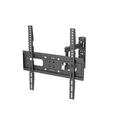
First, and often most overlooked, is matching your mount to your TV’s size and weight. Too many people buy a generic mount because it’s cheap, only to find it can’t support their 86-inch smart TV, leading to sagging within weeks. This is why our range of mounts is sorted by TV size and weight capacity, so you never have to guess. For example, if you have a mid-sized TV between 37 and 70 inches, our Best TV Wall Mount Tilt 37 To 70 is engineered to hold up to 132 pounds, which covers almost all TVs in that range. But if you’re upgrading to a larger screen—say a 65-inch model, which is a popular pick for living rooms—you’ll want a mount rated for at least 120 pounds. Our 65 Inch Tilt TV Bracket checks that box, with reinforced steel brackets that distribute weight evenly, no matter how you tilt the TV up or down. For even bigger screens, like a 100-inch TV that weighs more than 180 pounds, standard mounts just won’t cut it. That’s where our 100 Inch Heavy Duty TV Wall Brackets come in: they feature extra-thick mounting plates and heavy-duty bolts, so you don’t have to stress about the mount failing under the TV’s weight. A quick rule of thumb here: always pick a mount with a weight capacity at least 20% higher than your TV’s listed weight. That extra margin is for any accidental bumps, temperature changes that slightly expand or contract metal, and normal wear and tear over time. It’s a small investment that prevents big problems later.
Next, the most critical step for stability is wall prep. Even the best mount will fail if it’s attached to the wrong surface, or attached incorrectly. Let’s start with wall types: drywall, plaster, concrete, and wood studs each require different installation methods, and cutting corners here is the number one cause of unstable mounts. Many homeowners try to mount a TV directly into drywall using just plastic anchors, which works for small, lightweight TVs (under 32 inches) but is a disaster for anything larger. For TVs over 32 inches, you must mount directly to a wood stud, and not just any stud—you need to find the stud that’s aligned with the TV’s mounting holes. I’ve seen people use a stud finder and get close, only to mount ½ an inch off, which creates uneven weight distribution and leads to wobbling within a few months. If you don’t have access to wood studs—like in a rental apartment with concrete walls—you’ll need heavy-duty concrete anchors that are rated for the mount’s weight capacity. Our Heavy Duty Tlit TV Wall Mount for 86 Inch TV comes with specialized concrete anchors that are designed to grip solid concrete without cracking or pulling loose. Another common mistake is not clearing out space behind the wall before drilling. I’ve had customers come to me after drilling into a wall only to hit electrical wires or plumbing pipes, which not only delays installation but can damage your home. Take 10 minutes to use a wire detector to check for hazards before you start drilling—it’s a small step that saves a lot of trouble. Also, when attaching the mount’s wall plate, make sure it’s level. Use a spirit level, not just your phone’s level app (which can be inaccurate), to ensure the plate is perfectly straight. A slightly off-level wall plate might not seem like a big deal, but it will put uneven pressure on the TV’s mounting holes over time, leading to drooping or the TV shifting out of place.
Then there’s the tilt mechanism itself, which is unique to these mounts and requires special attention. Tilt mounts let you adjust the TV’s viewing angle, but that moving part is also a weak point if it’s not assembled correctly. When you install the mount’s arm or the tilt adjustment brackets, make sure the bolts that hold the arm to the wall plate are tightened to the manufacturer’s specified torque. I recommend using a torque wrench—most people use a regular drill or screwdriver and end up over-tightening (which strips the bolts or cracks the mount) or under-tightening (which lets the arm shift). Our Classic Tilt TV Mount 65 Inch includes a torque wrench in the package, but if you’re using a mount without one, check the product specs: for most mounts, the ideal torque is between 15 and 20 foot-pounds for standard bolts, and 25 to 30 foot-pounds for heavy-duty models. Another tip for tilt stability: if you’re going to adjust the tilt angle, do it gradually, not forcefully. Slamming the TV up or down when you set it up can bend the tilt rods or loosen the internal hardware. When you first attach the TV to the mount, double-check that all the bolts securing the TV’s backplate to the mount’s arm are tight. I always tell customers to tighten these bolts twice: once to hand-tight, then again with a screwdriver, and then to torque specs if provided. A loose TV backplate will shift every time you tilt the mount, leading to a wobbly setup that feels unsafe. For extra stability, some of our mounts include locking mechanisms for the tilt adjustment—make sure you engage these once you’ve set your desired viewing angle. That locking bar prevents the arm from shifting on its own, even if someone bumps the wall or the TV vibrates from surround sound.
Environmental factors also play a role in long-term stability, and they’re easy to overlook. Temperature changes, humidity, and even vibration from HVAC systems or nearby appliances can affect your mount over time. If you live in a climate with extreme temperatures—like a very hot attic room or a cold basement—look for a mount made of rust-resistant steel. All of our tilt mounts are made with powder-coated steel that resists rust and corrosion, even in high-humidity areas like bathrooms or outdoor patios (as long as you use a weatherproof-rated mount, of course). For TVs mounted above a fireplace, the heat from the fire can expand the mount’s metal parts over time, so it’s extra important to use a mount with a high weight capacity and regularly check the bolts after the first few uses. Another environmental consideration is vibration: if your wall is near a washing machine, a basement rec room, or a busy street, the constant small vibrations can loosen bolts slowly. Every 6 months, I recommend doing a quick check: grab the TV and gently shake it side to side and up and down. If you feel any movement in the mount, tighten the wall plate and arm bolts a little more. It’s a 2-minute task that prevents small problems from becoming big ones.


Now, let’s talk about common mistakes that lead to instability, and how to avoid them. The biggest one I see is buying a mount that’s too small for your TV. For example, someone with a 60-inch TV might buy a 55-inch mount because it’s cheaper, only to find the mount’s arms don’t extend far enough to support the TV’s wide frame. This causes the TV to be unevenly supported, leading to leaning or drooping. That’s why our 65 Inch Tilt TV Bracket is designed with arms that extend 18 inches, which fits TVs up to 70 inches without overextending. Another mistake is not accounting for the wall’s thickness. If you have a 2x4 wall (standard in most homes), you’re good to go, but if you have a thinner partition wall or a wall with insulation that sticks out, you’ll need longer mounting bolts. Using bolts that are too short means they only grip a fraction of the stud or wall plate, leading to a weak hold. Our heavy-duty mounts come with a variety of bolt lengths, so you can pick the right one for your wall. Finally, skipping the load test after installation is a mistake. Once you’ve mounted the TV, gently press down on the top of the TV a few times, and push side to side. If there’s any give, go back and check your bolts and wall plate alignment. A proper load test takes 5 minutes and gives you peace of mind that your mount is secure.
As a tilt TV wall mount supplier, I don’t just sell products—I help people make informed choices that last. The key takeaway is that stability comes from three things: matching your mount to your TV’s size and weight, prepping your wall correctly, and maintaining the mount over time. Whether you’re mounting a 40-inch TV in a bedroom, a 75-inch TV in a living room, or a 100-inch screen in a home theater, we have a mount designed for your needs. Our 100 Inch Heavy Duty TV Wall Brackets are built for commercial-grade use, so they can handle heavy TVs and constant adjustment, while our Classical Tilt TV Mount 65 Inch is a popular choice for residential use, with a sleek design that hides the mount’s hardware for a clean look. If you’re not sure which mount is right for your space, or you have questions about installation and stability, feel free to reach out to our team to discuss your needs. We’re here to help you get a mount that’s secure, easy to use, and lasts for years.
References
- Consumer Reports. (2022). "TV Wall Mount Stability Guide: Weight Capacity and Installation Best Practices." Retrieved from Consumer Reports website.
- Mounting Hardware Institute. (2021). "Residential TV Mounting Standards: Load Ratings and Wall Preparation Requirements." Mounting Hardware Industry Association Technical Bulletin.
- Electronic Industries Alliance. (2020). "TV Mount Compatibility Guidelines: Size, Weight, and Tilt Mechanism Specifications." EIA Standard for Consumer Electronics Mounts.
- Home Inspection Institute. (2023). "Common TV Mount Failures: Causes and Preventive Maintenance Tips." Home Inspection Industry Monthly Report.