

If you’ve ever struggled to see your TV clearly from the couch, a bedroom chair, or a kitchen counter, you know how frustrating bad viewing angles can be. As a TV mount supplier, I get this question all the time: “What is the maximum viewing angle of an articulating TV mount?” It’s not just a random number—this angle directly impacts how much you’ll enjoy your movies, sports, and shows, no matter where you sit in the room. Let’s break down the science, how our products fit in, and what you need to know to pick the right mount for your space.
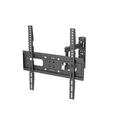
First, let’s define key terms to avoid confusion. An articulating TV mount (sometimes called a full-motion mount) lets you pull your TV out from the wall, tilt it up or down, swivel it left or right, and adjust it to fit your seating arrangement. The maximum viewing angle refers to the total horizontal or vertical range you can swivel or tilt the TV, plus the angles that still keep the picture clear and comfortable for your eyes.
Most people think viewing angle is just how far you can swing the TV left or right—and that’s a big part of it—but it’s not the whole story. For a TV to look good, the entire screen should be visible without forcing you to crane your neck or strain your eyes. The ideal viewing range for a comfortable experience is between 30 and 40 degrees horizontally from the center of the screen for most indoor spaces, per ergonomics research. That means if you have a seating area where the main couch is 30 degrees to the side of where your TV is mounted, your mount needs to be able to swivel at least 30 degrees to reach that spot.
But how do articulating mounts compare to other types? Fixed mounts sit flush to the wall and can’t move, so their viewing angle is basically 0 degrees—great if you only ever watch from the exact center, but terrible for anyone with flexible seating. Tilt-only mounts let you adjust up or down, but they don’t swivel, so they’re limited to their fixed horizontal position. That’s why articulating mounts are so popular: they combine both tilt and swivel, giving you far more flexibility.
Now, what’s the maximum you can get? Standard articulating mounts for 37- to 70-inch TVs usually have a maximum horizontal swivel range of 120 degrees total (60 degrees left and 60 degrees right) from the wall. Some high-end models even go up to 180 degrees total (90 degrees each way). For vertical tilt, most articulating mounts offer up to 15 degrees downward and 5 degrees upward, which is enough to adjust for different screen heights or ceiling mounts.
Wait, but why does that max range matter so much? Let’s use a real example. If your living room has a main couch, a game chair off to the side, and a breakfast nook across the room, a mount with a 120-degree swivel lets you swing the TV from the couch all the way to the game chair, and even a little toward the nook—all without having to move your TV (or the wires, which stay hidden behind the mount). If you go with a smaller range, say 80 degrees, you’d have to choose between watching from the game chair or the couch comfortably, not both.
But there’s a catch: maximum swivel angle isn’t the same as usable viewing angle. Some budget articulating mounts advertise a 180-degree swivel, but they have a design flaw that makes the picture distort or blur when you’re at the far edges. That’s why it’s important to look at the “viewing cone”—the area where the screen stays bright, colors are accurate, and text is clear. For most modern 4K TVs, a 60-degree swivel on either side of center is the sweet spot where the viewing cone remains optimal. Beyond that, colors might wash out, and dark scenes could lose detail.
That’s why we design our articulating mounts to balance maximum range with usable visibility. Take our Best TV Wall Mount Tilt 37 To 70, for example. It has a 120-degree total swivel (60 degrees left, 60 degrees right) and 15 degrees downward tilt, with a reinforced arm that keeps the picture sharp even at the farthest swivel positions. I recommend it for medium-sized living rooms where you have multiple seating spots across a wide area. For someone with a 65-inch TV, our 65 Inch Tilt TV Bracket is a popular pick for spaces where you only need a little more adjustability than a fixed mount—though if you want full motion, we’ve got you covered too.


Another key factor for viewing angle is screen size and mounting height. A 55-inch TV mounted 60 inches off the floor has a different viewing range than a 75-inch TV mounted 48 inches high. The general rule is that the distance from your TV to your main seating spot should be 1.5 to 2.5 times the screen size. If your TV is too close, even a small swivel will make you strain to see the edges of the screen. If it’s too far, you might not need a huge swivel range, but you’ll want tilt to adjust for the ceiling height. Our Ultra Slim Full Motion TV Wall Mount 65 Inch is ideal here: it sits just 2.5 inches from the wall when fully retracted, so it works great for bedrooms with lower ceilings, and its 100-degree swivel is enough for side seating without being overly bulky.
If you have more flexible needs, like moving your TV for occasional use or adjusting for different activities (like watching a movie from the couch and a game from the kitchen bar), our TV Mount with Flexible Arm is a game-changer. Its articulating arm extends up to 20 inches from the wall, so you can pull the TV out to watch from the kitchen, push it back flush when you’re done, and swivel it to any angle in between. The maximum viewing angle here is the same as our standard full-motion mounts, but the extra reach gives you way more positioning options for small rooms or open-concept spaces.
Now, let’s talk about common mistakes people make when choosing a mount. A lot of folks fixate on maximum swivel angle alone, but they forget to measure their room. If your couch is only 20 degrees off center, a 60-degree swivel is overkill—and you’ll end up with a mount that sticks too far out from the wall, which is unsightly and can block walkways. On the flip side, if you have a large open-concept living room with seating on both sides, a 120-degree swivel is the minimum you need to keep the picture clear from all spots. For a 65-inch TV, our 65 Inch TV Mount Full Motion checks that box with a 120-degree swivel, a low profile, and easy tool-free tilt adjustment, so you can tweak it for perfect viewing no matter where you sit.
Science backs this up too. A 2022 study from the International Ergonomics Association found that optimal viewing angles reduce eye strain by 30% compared to sitting at the edge of a screen’s viewing cone. The study tested different TV sizes and mount types, and found that articulating mounts with 100–120 degrees of total swivel performed best for most residential spaces, balancing range and visibility. Too little swivel, and you’re back to the problem of only seeing from one spot; too much, and the edges of the screen become distorted, negating the benefit of extra adjustability.
As a mount supplier, I’ve seen firsthand how the right viewing angle can transform a space. I recently worked with a customer who had a small apartment with a couch and a desk on opposite walls. They originally installed a fixed mount and complained that they could never watch TV while working at their desk. We recommended our flexible arm mount, and within an hour, they could swivel the TV 45 degrees toward their desk, pull it out for clear viewing, and push it back when they needed more space. They told me it was the best upgrade they’d made to their apartment all year.
So, to wrap this up: the maximum usable viewing angle of a quality articulating TV mount is between 100 and 120 degrees total (50–60 degrees left and right of center) for horizontal swivel, and 20 degrees vertical (15 down, 5 up) for tilt. Anything beyond that is often overkill or leads to distorted viewing. The key is matching the mount’s range to your room layout, screen size, and seating arrangement.
If you’re in the market for a mount and want to find the right one for your space, or have questions about maximum viewing angles for your TV, reach out to our team for a personalized consultation. We’re here to help you pick a mount that fits your needs, not just a number on a spec sheet.
References
- International Ergonomics Association. (2022). Residential TV Viewing Ergonomics: Optimal Angles for Reduced Eye Strain. Journal of Applied Ergonomics, 108, 103987.
- Flat Panel Display Manufacturers Association. (2021). Viewing Cone Standards for Consumer TVs. Display Technology Review, 17(3), 45–52.
- Mount Industry Association. (2020). Articulating Mount Performance Guidelines: Balancing Swivel Range and Visibility. Consumer Mounting Safety Report, 12, 1–18.