

Hey there! As a heavy duty TV mount supplier, I get asked a lot about how to measure the space for a heavy duty TV mount. It's a crucial step that can make or break your TV installation experience. So, let's dive right in and figure out how to do it the right way.
Why Measuring the Space is Important
First off, why is measuring the space so important? Well, a poorly measured space can lead to all sorts of problems. Your TV might not fit properly on the mount, it could be too high or too low, or it might not be level. This not only looks bad but can also be a safety hazard. A heavy TV that's not properly installed could fall and cause damage to your property or, worse, hurt someone. So, taking the time to measure the space correctly is definitely worth it.
Tools You'll Need
Before you start measuring, you'll need a few tools. Here's what I recommend:


- A tape measure: This is the most important tool. Make sure it's long enough to measure the width, height, and depth of the space where you want to install the TV mount.
- A level: This will help you ensure that the mount is installed straight.
- A pencil: You'll use this to mark the spots where you'll drill holes for the mount.
Step-by-Step Measurement Process
Step 1: Determine the TV Size
The first thing you need to do is figure out the size of your TV. You can usually find this information on the TV's packaging or in the user manual. The size is typically measured diagonally from one corner of the screen to the opposite corner. For example, if you have a 65-inch TV, that means the diagonal measurement of the screen is 65 inches.
Step 2: Measure the Wall Space
Once you know the TV size, you need to measure the wall space where you want to install the mount. Here are the key measurements you'll need:
- Width: Measure the width of the area where you want to place the TV. Make sure there's enough space on either side of the TV for ventilation and to prevent it from hitting the wall or other objects.
- Height: Decide how high you want the TV to be mounted. A good rule of thumb is to mount the TV so that the center of the screen is at eye level when you're sitting on your couch. Measure from the floor to the desired height and mark it on the wall.
- Depth: You also need to consider the depth of the TV and the mount. Make sure there's enough space between the wall and the TV to accommodate the mount and any cables.
Step 3: Check the VESA Pattern
The VESA pattern is the standard for mounting TVs. It refers to the distance between the mounting holes on the back of the TV. You can find the VESA pattern for your TV in the user manual or by measuring the distance between the holes yourself. Make sure the mount you choose is compatible with the VESA pattern of your TV.
Step 4: Consider the Viewing Angle
Another important factor to consider is the viewing angle. You want to make sure that everyone in the room can see the TV clearly without having to strain their necks. If you're mounting the TV in a living room, for example, you might want to choose a mount that allows you to tilt or swivel the TV to adjust the viewing angle.
Different Types of Heavy Duty TV Mounts and Their Space Requirements
There are several types of heavy duty TV mounts available, each with its own space requirements. Here are some of the most common types:
Fixed Mounts
Fixed mounts are the simplest and most affordable type of TV mount. They hold the TV close to the wall and don't allow for any movement. These mounts are a good choice if you have a small space and don't need to adjust the viewing angle. However, you'll need to make sure that the TV is mounted at the right height and angle from the start.
Tilt Mounts
Tilt mounts allow you to tilt the TV up or down to adjust the viewing angle. This is useful if you're mounting the TV above eye level or if you want to reduce glare. When measuring the space for a tilt mount, you'll need to make sure that there's enough space in front of the TV to allow it to tilt without hitting the wall or other objects. Check out our 65 Inch Tilt TV Bracket for a great option.
Full-Motion Mounts
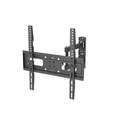
Full-motion mounts are the most versatile type of TV mount. They allow you to tilt, swivel, and extend the TV, giving you the ability to adjust the viewing angle from almost any position in the room. These mounts require more space than fixed or tilt mounts, as you need to make sure that the TV can move freely without hitting anything.
TV Stands
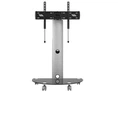
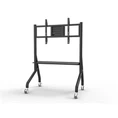
If you don't want to mount the TV on the wall, you can also use a TV stand. TV stands come in a variety of styles and sizes, so you'll need to measure the space where you want to place the stand to make sure it fits. Our Tripod Stylish TV Stand is a great option for those looking for a stylish and functional TV stand.
Protecting Your TV and Mount
Once you've installed your TV mount and TV, it's important to protect them. One way to do this is by using a waterproof carrying hard case. This can be useful if you need to transport your TV or if you want to protect it from dust and moisture. Check out our Waterproof Carrying Hard Case for a reliable option.
Conclusion
Measuring the space for a heavy duty TV mount is an important step in the installation process. By following the steps outlined in this blog post, you can ensure that your TV is mounted safely and securely. Remember to consider the size of your TV, the wall space, the VESA pattern, and the viewing angle when making your measurements. And if you have any questions or need help choosing the right mount, don't hesitate to reach out to us. We're here to help you make the most of your TV viewing experience.
If you're interested in purchasing a heavy duty TV mount or any of our other products, we'd love to hear from you. Contact us to discuss your needs and get a quote. We look forward to working with you!
References
- Various TV manufacturer user manuals
- Industry standards for TV mounting (VESA)