

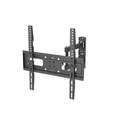
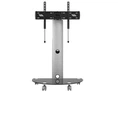
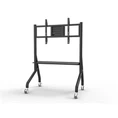
When it comes to setting up a modern entertainment space, choosing the right TV cart is crucial. As a supplier of modern TV carts, I understand the importance of ensuring that your TV fits perfectly on the cart. In this blog post, I'll share some valuable insights on how to measure a TV accurately to guarantee a seamless fit on a modern TV cart.


Understanding the Basics of TV Measurements
Before you start measuring your TV, it's essential to have a clear understanding of the different types of measurements involved. The most common measurement you'll encounter is the diagonal screen size, which is typically advertised by manufacturers. This measurement is taken from one corner of the screen to the opposite corner. However, the overall dimensions of the TV, including the bezel (the frame around the screen), are equally important when it comes to fitting the TV on a cart.
Measuring the Diagonal Screen Size
The diagonal screen size is the most straightforward measurement to take. To measure the diagonal screen size of your TV, you'll need a measuring tape. Start by placing one end of the measuring tape at the bottom-left corner of the screen and extend it diagonally to the top-right corner. Make sure to measure only the visible screen area, excluding the bezel. Note down this measurement in inches, as this is the standard unit used for TV sizes.
For example, if you measure a diagonal length of 55 inches, your TV is a 55-inch TV. Keep in mind that this measurement is mainly used for marketing purposes and doesn't necessarily reflect the actual dimensions of the TV.
Measuring the Overall Dimensions of the TV
In addition to the diagonal screen size, you'll need to measure the width, height, and depth of the TV, including the bezel. These measurements will help you determine if the TV will fit properly on the TV cart.
Width
To measure the width of the TV, place the measuring tape horizontally across the front of the TV, from one side of the bezel to the other. Make sure to measure at the widest point, which is usually at the bottom or top of the TV. Note down this measurement in inches.
Height
The height of the TV is measured vertically from the bottom of the TV to the top, including the stand or base if it's attached. Place the measuring tape along the side of the TV and measure from the bottom edge to the top edge. Record this measurement in inches.
Depth
The depth of the TV is measured from the front of the TV (the screen) to the back. Place the measuring tape at the center of the TV and measure from the screen to the furthest point on the back. This measurement is important to ensure that the TV cart has enough depth to accommodate the TV. Note down the depth measurement in inches.
Considering the VESA Mounting Pattern
If you plan to mount your TV on a wall-mounted TV cart or a TV stand with a VESA mount, you'll need to measure the VESA mounting pattern. The VESA mounting pattern is a standard measurement that indicates the distance between the mounting holes on the back of the TV.
To measure the VESA mounting pattern, you'll need a ruler or a measuring tape. Locate the four mounting holes on the back of the TV and measure the horizontal and vertical distance between the centers of the holes. The VESA mounting pattern is usually expressed in millimeters, such as 200x200 or 400x400. Make sure to note down this measurement, as it will help you choose a TV cart that is compatible with your TV's mounting pattern.
Choosing the Right TV Cart Based on Your Measurements
Once you have all the necessary measurements of your TV, it's time to choose the right TV cart. As a modern TV cart supplier, I offer a wide range of TV carts to suit different TV sizes and styles. Here are some factors to consider when choosing a TV cart:
Size Compatibility
Make sure the TV cart you choose has a compatible size with your TV. Check the product specifications of the TV cart to ensure that it can accommodate the width, height, and depth of your TV. Additionally, if you plan to use a VESA mount, make sure the TV cart has a compatible VESA mounting pattern.
Weight Capacity
Consider the weight of your TV and make sure the TV cart has a sufficient weight capacity to support it. The weight capacity of the TV cart is usually indicated in the product specifications. Make sure to choose a TV cart that can handle the weight of your TV to ensure stability and safety.
Style and Design
Choose a TV cart that complements the style and design of your living room or entertainment space. I offer a variety of modern TV carts in different styles, including Corner TV Cart with Storage Bag and Universal Rolling TV Cart. These TV carts not only provide a functional solution for mounting your TV but also add a touch of style to your space.
Tips for Ensuring a Perfect Fit
Here are some additional tips to ensure that your TV fits perfectly on the TV cart:
- Check the Clearance: Make sure there is enough clearance around the TV on the TV cart. This will prevent the TV from rubbing against the sides of the cart and causing damage.
- Consider the Cable Management: Look for a TV cart that has built-in cable management features. This will help you keep the cables organized and prevent them from getting tangled.
- Test the Mobility: If you choose a rolling TV cart, test the mobility of the cart to ensure that it moves smoothly and easily. Make sure the wheels are sturdy and can support the weight of the TV.
Conclusion
Measuring your TV accurately is essential to ensure that it fits perfectly on a modern TV cart. By following the steps outlined in this blog post, you can take the necessary measurements and choose the right TV cart for your needs. As a modern TV cart supplier, I'm committed to providing high-quality TV carts that are both functional and stylish. If you have any questions or need further assistance in choosing the right TV cart, please don't hesitate to contact me for a procurement discussion.
References
- "How to Measure a TV Screen" - HomeAdvisor
- "VESA Mounting Standard" - Video Electronics Standards Association (VESA)