

Installing a TV mount on a wooden wall can transform your viewing experience, providing a secure and aesthetically pleasing way to display your television. As a TV mount supplier, I've seen firsthand the benefits of a well - installed TV mount, and I'm here to guide you through the process.
Tools and Materials You'll Need
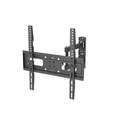
Before you start the installation, gather the necessary tools and materials. You'll need a drill, a level, a stud finder, a measuring tape, a screwdriver, and the TV mount itself. For our high - quality mounts, you can check out our Heavy Duty Tlit TV Wall Mount for 86 Inch TV, 65 Inch Tilt TV Bracket, and Classical Tilt TV Mount 65 Inch. Additionally, make sure you have wall anchors if the studs are not in the ideal location for your mount.
Step 1: Find the Studs
The first step in installing a TV mount on a wooden wall is to locate the studs. Studs are the vertical wooden beams behind the wall that provide support. Use a stud finder to locate the studs in the area where you want to install the TV mount. Mark the position of the studs with a pencil. This is crucial because mounting the TV directly to the studs will ensure a secure installation.
Step 2: Measure and Mark
Once you've located the studs, measure the distance between the mounting holes on the TV mount. Transfer these measurements to the wall, aligning them with the marked studs. Use a level to ensure that the marks are straight. This will guarantee that your TV will be mounted evenly on the wall.


Step 3: Drill Pilot Holes
After marking the wall, drill pilot holes into the studs at the marked locations. The size of the drill bit should match the size of the screws provided with the TV mount. Pilot holes prevent the wood from splitting when you insert the screws.
Step 4: Attach the Mount to the Wall
Take the TV mount and align it with the pilot holes on the wall. Insert the screws through the holes in the mount and into the pilot holes in the wall. Use a screwdriver or a drill to tighten the screws securely. Make sure the mount is firmly attached to the wall.
Step 5: Attach the TV to the Mount
Before attaching the TV to the mount, make sure the TV is turned off and unplugged. Locate the mounting holes on the back of the TV. Align the TV with the mount and carefully lift the TV onto the mount. There are usually locking mechanisms on the mount to secure the TV in place. Follow the manufacturer's instructions to properly attach the TV to the mount.
Step 6: Adjust and Level the TV
Once the TV is attached to the mount, use a level to check if the TV is perfectly horizontal. If it's not, make the necessary adjustments by loosening the screws slightly and re - positioning the TV. Tighten the screws again once the TV is level.
Step 7: Cable Management
After the TV is mounted and leveled, it's time to manage the cables. Use cable ties or cable clips to organize the cables and keep them out of sight. This not only makes your setup look neater but also reduces the risk of tripping over the cables.
Tips for a Successful Installation
- Read the Manual: Always read the installation manual that comes with your TV mount. Different mounts may have specific installation instructions.
- Safety First: If you're not comfortable with the installation process, it's best to hire a professional. Working at heights can be dangerous, and improper installation can lead to the TV falling.
- Consider the Viewing Angle: When choosing the location for your TV mount, consider the viewing angle. You want to ensure that the TV is at a comfortable height and angle for optimal viewing.
Why Choose Our TV Mounts
As a TV mount supplier, we offer a wide range of high - quality TV mounts that are designed to meet different needs. Our mounts are made from durable materials and are rigorously tested to ensure safety and reliability. Whether you have a large - screen TV or a smaller one, we have the perfect mount for you.
If you're interested in purchasing our TV mounts or have any questions about the installation process, we encourage you to contact us for a procurement discussion. We're here to help you find the best TV mount solution for your needs.
References
- "TV Mount Installation Guide" - General guidelines on TV mount installation from industry experts.
- Manufacturer's manuals for our TV mounts, which provide detailed installation instructions and safety information.