

When setting up a home theater, one of the crucial decisions you'll make is choosing the right TV mount. A well - chosen TV mount not only enhances the viewing experience but also ensures the safety and stability of your TV. As a TV mount supplier, I've helped numerous customers make the best choices for their home theaters. In this blog, I'll share some key factors to consider when selecting a TV mount.
Screen Size and Weight
The first and most fundamental factor to consider is the size and weight of your TV. TV mounts are designed to support specific screen sizes and weight ranges. Before making a purchase, check your TV's user manual or the manufacturer's website for its exact dimensions and weight.
For smaller TVs, typically those under 32 inches, a simple fixed mount may be sufficient. These mounts are affordable and keep the TV close to the wall, providing a sleek look. On the other hand, larger TVs, say 50 inches or more, require a more robust mount. A tilting or full - motion mount might be a better option as they allow for more flexibility in adjusting the viewing angle.


As a rule of thumb, always choose a mount with a weight capacity that exceeds your TV's actual weight. This provides an extra margin of safety. For example, if your TV weighs 30 pounds, look for a mount with a weight capacity of at least 40 pounds.
VESA Compatibility
VESA (Video Electronics Standards Association) compatibility is another critical aspect. VESA defines a standard pattern of holes on the back of the TV for mounting purposes. The pattern is usually expressed in millimeters, such as VESA 600x400.
Before buying a TV mount, check your TV's VESA pattern. Most modern TVs have their VESA pattern clearly marked in the user manual. Make sure the mount you choose is compatible with your TV's VESA pattern. If you're looking for a high - quality tilt TV mount with VESA 600x400 compatibility, you can check out our Best Tilt TV Mount Vesa 600x400.
Mount Type
There are several types of TV mounts available, each with its own advantages and suitable applications.
Fixed Mounts
Fixed mounts are the most basic and affordable option. They hold the TV flat against the wall, providing a clean and minimalist look. They are ideal for rooms where the viewing position is fixed, such as a bedroom or a small living room. If you're looking for a simple and reliable fixed mount, our Universal Low Profile Fixed TV Mount Bracket is a great choice. It offers a low - profile design that keeps the TV close to the wall while providing a stable installation.
Tilting Mounts
Tilting mounts allow you to tilt the TV up or down. This is useful when the TV is mounted above eye level, such as above a fireplace. By tilting the TV down, you can achieve a more comfortable viewing angle. Tilting mounts are also a good option for rooms with multiple seating areas at different heights.
Full - Motion Mounts
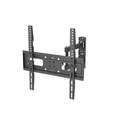
Full - motion mounts, also known as articulating mounts, offer the most flexibility. They allow you to extend the TV away from the wall, swivel it left and right, and tilt it up and down. This is perfect for large rooms or open - concept living spaces where you may want to adjust the TV's position depending on where you're sitting. However, full - motion mounts are generally more expensive and take up more space when extended.
Installation Location
The location where you plan to install the TV mount also plays a significant role in your decision.
If you're mounting the TV on a wall, make sure the wall can support the weight of the TV and the mount. Studs are the strongest part of a wall, so try to mount the TV on a stud. If you can't find a stud, you may need to use wall anchors designed for the type of wall material you have, such as drywall or concrete.
If you're considering mounting the TV in a corner, a corner - specific mount might be a good option. These mounts are designed to fit the angle of the corner and provide a stable installation.
Cable Management
Good cable management is often overlooked but is essential for a clean and organized home theater setup. Some TV mounts come with built - in cable management features, such as channels or clips to keep the cables tidy. This not only makes your setup look neater but also helps prevent cable damage and interference.
When choosing a TV mount, consider how easy it will be to route and hide the cables. Some mounts allow you to run the cables through the mount itself, while others require you to use external cable covers.
Ergonomics
Ergonomics is an important consideration for a comfortable viewing experience. The height at which you mount the TV can significantly affect your neck and eye strain. As a general guideline, the center of the TV screen should be at or slightly below eye level when you're sitting in your normal viewing position.
If you have a variety of seating options in your home theater, such as a sofa and some floor cushions, you may need to find a balance that works for all. A tilting or full - motion mount can help you adjust the TV's position to achieve the best ergonomic setup.
Budget
Finally, your budget will also influence your choice of TV mount. Fixed mounts are generally the most affordable, while full - motion mounts tend to be more expensive. However, it's important to remember that a high - quality mount is a long - term investment. A cheap mount may save you money upfront but could pose safety risks or not provide the functionality you need.
Consider your needs and priorities when setting your budget. If you're on a tight budget, a basic tilting mount may be a good compromise between cost and functionality.
In conclusion, choosing the right TV mount for your home theater requires careful consideration of several factors, including screen size and weight, VESA compatibility, mount type, installation location, cable management, ergonomics, and budget. As a TV mount supplier, we offer a wide range of high - quality TV mounts to suit different needs and budgets. If you have any questions or need further assistance in choosing the right TV mount for your home theater, don't hesitate to contact us for a procurement discussion. We're here to help you create the perfect home theater setup.
References
- Video Electronics Standards Association (VESA) official documentation
- Various TV manufacturer user manuals
- Industry reports on home theater setup and TV mounting trends