

Do ultra slim tv mounts block the TV's ports?
As a supplier of ultra slim TV mounts, I often get asked whether our mounts block the TV's ports. This is a valid concern, as easy access to ports is crucial for connecting various devices such as gaming consoles, streaming devices, and sound systems. In this blog post, I'll delve into this topic and provide you with a comprehensive answer.
Understanding Ultra Slim TV Mounts
Ultra slim TV mounts are designed to provide a sleek and minimalist look for your TV. They typically have a low-profile design that allows the TV to sit close to the wall, creating a clean and modern aesthetic. These mounts are popular for both home and commercial settings, as they can enhance the overall visual appeal of any space.
One of the key features of ultra slim TV mounts is their ability to save space. By mounting the TV close to the wall, you can free up valuable floor and table space, making your room feel more open and spacious. Additionally, ultra slim mounts can help to reduce glare on the TV screen, as they position the TV at an optimal viewing angle.
The Impact on TV Ports
Now, let's address the question at hand: do ultra slim TV mounts block the TV's ports? The answer is not a simple yes or no, as it depends on several factors, including the type of mount, the design of the TV, and the location of the ports.


In general, most ultra slim TV mounts are designed to provide access to the TV's ports. However, some mounts may partially or completely block certain ports, especially if they are located on the back or side of the TV. This can be a problem if you need to connect devices to those ports on a regular basis.
For example, if your TV has ports located at the bottom or top of the back panel, an ultra slim mount may not interfere with access to those ports. On the other hand, if the ports are located on the side or in the middle of the back panel, there is a higher chance that the mount may block them.
Factors Affecting Port Access
Several factors can affect whether an ultra slim TV mount will block the TV's ports. Here are some of the most important ones to consider:
- Mount Design: Different ultra slim TV mounts have different designs, and some may be more port-friendly than others. For example, some mounts have a swivel or tilt function that allows you to adjust the position of the TV, making it easier to access the ports. Others may have a cutout or opening in the mount to provide direct access to the ports.
- TV Model: The design of your TV can also play a role in port access. Some TVs have ports located in more accessible areas, while others may have ports that are recessed or located in hard-to-reach places. Before purchasing a mount, it's important to check the specifications of your TV to determine the location of the ports and whether they will be compatible with the mount.
- Cable Management: Proper cable management is essential for ensuring easy access to the TV's ports. If your cables are tangled or poorly organized, it can be difficult to reach the ports, even if the mount does not block them. Consider using cable ties, clips, or a cable management system to keep your cables neat and organized.
Solutions for Port Access
If you're concerned about port access when using an ultra slim TV mount, there are several solutions available. Here are some of the most common ones:
- Choose a Port-Friendly Mount: Look for an ultra slim TV mount that is specifically designed to provide access to the TV's ports. Some mounts have a cutout or opening in the mount to allow direct access to the ports, while others have a swivel or tilt function that allows you to adjust the position of the TV for easier access.
- Use Extension Cables: If the mount blocks the TV's ports, you can use extension cables to connect your devices. Extension cables are available in various lengths and types, and they can be a convenient way to access the ports without having to remove the mount.
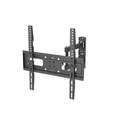
- Consider a Different Mount Type: If you're having trouble finding an ultra slim mount that provides adequate port access, you may want to consider a different type of mount. For example, a full-motion mount allows you to adjust the position of the TV in multiple directions, making it easier to access the ports. You can check out our Ultra Slim Full Motion Tv Wall Mount 65 Inch for a great option that offers both slim design and full motion capabilities.
Conclusion
In conclusion, whether an ultra slim TV mount blocks the TV's ports depends on several factors, including the type of mount, the design of the TV, and the location of the ports. While most ultra slim mounts are designed to provide access to the ports, some may partially or completely block certain ports. However, there are several solutions available to ensure easy access to the ports, such as choosing a port-friendly mount, using extension cables, or considering a different mount type.
If you're in the market for an ultra slim TV mount and have concerns about port access, I encourage you to reach out to us. As a supplier of high-quality ultra slim TV mounts, we can help you choose the right mount for your TV and ensure that you have easy access to the ports. Contact us today to start the procurement discussion and find the perfect mount for your needs.
References
- Various TV mount product specifications and user manuals.
- Industry research on TV mount design and port access.