

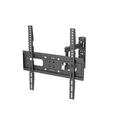
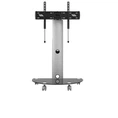
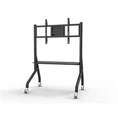
If you’ve ever stood in front of a stack of 75-inch 4K TVs at a tech showroom, or tried to mount one at home and wondered if your heavy duty TV mount could double as a freestanding solution for your living room, you’re not alone. As a supplier of heavy duty TV mounts, I field this question at least a dozen times a week, and it’s one that splits the line between practicality, engineering, and unspoken frustrations with generic TV stands that feel flimsy next to your screen. Let’s break this down: can a heavy duty TV mount be used on a stand? The short answer is yes—but only if you account for a handful of critical factors that separate a DIY win from a safety hazard.
First, let’s define what we mean by “heavy duty TV mount.” Unlike the thin, wall-mounted brackets that come with most budget TVs, heavy duty mounts are engineered to support TVs 55 inches and larger, often weighing 100 pounds or more. They feature reinforced steel construction, multiple load points, and a universal VESA pattern that aligns with almost every modern TV. Traditional stands, by contrast, are designed to distribute weight across a wide base to prevent tipping, which is why even a stand marketed for a 70-inch TV might flex noticeably with a 100-pound screen. That’s the core tension here: heavy duty mounts are built for vertical, wall-anchored support, while stands rely on horizontal base stability. To adapt a mount to a stand, you have to bridge that gap.
The first step is checking your mount’s compatibility with freestanding installation. Most heavy duty mounts are sold as wall-only units, but some manufacturers (including the one I work for) offer optional stand adapters as accessories. If your mount lacks this, you can purchase a third-party adapter plate—just make sure it’s rated for the same weight and VESA size as your mount. A common mistake I see customers make is grabbing an adapter made for a smaller TV; this skimps on the load capacity, leading to wobbling or, worse, a fallen TV. For reference, if your mount supports up to 120 pounds, the adapter must be rated for at least that weight to avoid structural failure.
Next, you need to assess your stand’s load capacity and base stability. Even a heavy duty mount won’t help if your stand is too flimsy to hold it. Look for a stand with a wide, weighted base—ideally made of solid metal or thick plastic—rather than a thin, plastic base that relies on small feet for support. For a 75-inch TV, the base should measure at least 24 inches wide to distribute weight evenly, and the total weight of the stand itself should be 20 pounds or more to prevent tipping. If you’re in the market for a stand that’s built for large screens, check out our corner TV cart with storage bag, which features a reinforced metal frame and a 30-pound weighted base to support up to 150-pound TVs. This option is popular for people who want to move their TV between rooms, but it’s also stable enough to pair with a heavy duty mount.
Installation method is where most DIYers go wrong. Mounting a TV on a wall means you’re securing the bracket to solid studs, but on a stand, you’re relying on the stand’s top surface to hold the mount. That means you need to secure the mount to the stand’s top with heavy-duty hardware, not just set the mount on the stand’s surface. Many people skip this step, but it’s critical: even a small nudge to the side can shift the mount, and over time, the repeated pressure of the TV’s weight will cause the mount to slide off. Use lag bolts or wood screws that are at least 2 inches long, and make sure they’re compatible with your stand’s top material (wood, metal, or composite). If your stand’s top is glass, avoid this entirely—glass can’t support the concentrated pressure of heavy duty mount hardware, and it will crack under the weight of a large TV.
Another consideration is ventilation. Heavy duty mounts are designed to leave space behind the TV for wall clearance, which is also a benefit for freestanding use, as it allows air to circulate and prevents overheating. But some stands have closed backs or narrow top surfaces that can block that airflow. To avoid overheating, leave at least 2 inches of space between the TV and the stand’s back panel. For extra protection, if you’re storing cables or accessories near the TV, look for a waterproof protective hard camera case to keep cords, remotes, and small devices free of dust and moisture—this also prevents clutter from blocking ventilation.
Wait, but what about smaller TVs? Does the same logic apply? If you have a 40-inch TV that weighs 30 pounds, you can technically use a heavy duty mount on a stand, but it’s overkill. Heavy duty mounts are thicker and heavier than necessary for small TVs, so you’ll end up with a bulky setup that’s harder to move and takes up more space. For smaller screens, a standard stand paired with a lightweight mount works just as well. The sweet spot for using a heavy duty mount on a stand is TVs 65 inches and larger, where the extra reinforcement of a heavy duty mount makes a tangible difference in stability and long-term durability.
I’ve seen this adaptation work perfectly for customers who want flexibility: they can mount their TV to the wall in their main living room, and when they want to move it to their home office or guest room, they can attach the same heavy duty mount to a freestanding stand in 10 minutes. But there are caveats to this flexibility. First, never use a heavy duty mount that’s not rated for freestanding use—some mounts have internal wiring or hardware that’s only designed for vertical wall mounting, and exposing them to horizontal weight can cause them to fail over time. Second, always test the setup before leaving it unattended: gently push the TV from the side to check for wobbling, and make sure the mount and stand don’t shift. If the base feels unstable, add weights to the stand’s bottom (like sandbags or lead weights) to lower the center of gravity, which reduces tipping risk.
One common question I get is: can I use a heavy duty mount with a rolling stand? The answer is yes, but only if the stand has locked wheels. Casters that don’t lock can shift the stand unexpectedly, especially if the TV is large and heavy. Our corner TV cart with storage bag, for example, has locking casters that keep the stand in place once you’ve positioned it, making it safe to pair with a heavy duty mount. This setup is ideal for apartments where you need to move your TV between spaces, as long as you lock the wheels before putting weight on the mount.
Another mistake I see is ignoring VESA compatibility. VESA patterns are the standard for TV and mount mounting holes, and a heavy duty mount must match your TV’s VESA pattern to work. If your TV has a 400x400 VESA pattern, your mount must also be rated for that size—using a mount with a smaller VESA pattern will cause the TV to sit unevenly, putting extra stress on the mount and stand. Before you buy anything, measure the distance between the mounting holes on the back of your TV, and confirm that both your mount and stand are rated for that VESA size.
For those who are new to DIY mounting, it’s worth noting that while a heavy duty mount can work on a stand, it’s not the same as a purpose-built freestanding mount. Purpose-built freestanding mounts are designed with stability in mind from the start, with base plates that distribute weight across a wider area and hardware that’s tested for horizontal stress. Using a wall-only heavy duty mount is a workaround, not a replacement, and it’s best suited for people who need temporary flexibility or already own a heavy duty mount they want to repurpose.
If you’re planning to try this, here’s a step-by-step guide to make sure it’s safe: 1. Confirm your mount and TV are rated for the same weight and VESA size. 2. Purchase a stand that has a wide, weighted base and is rated for at least the weight of your TV. 3. Secure the mount to the stand’s top with heavy-duty hardware (no just setting it on top). 4. Test for stability by pushing the TV gently from the side. 5. Keep the area around the TV clear of clutter to maintain ventilation.
At the end of the day, the answer to “Can a heavy duty TV mount be used on a stand?” is not a flat yes or no—it depends on your specific products and installation. As a heavy duty TV mount supplier, I always encourage customers to prioritize safety over convenience, and to reach out if they’re unsure about compatibility. If you’re looking to pair a heavy duty mount with a new stand, or need an adapter to make the setup work, our team can help you find the right parts and answer any questions. Don’t risk damaging your TV or injuring someone with a flimsy setup—reach out to our team to discuss your needs and find the perfect combination of mounts and stands for your space.


References:
- Consumer Reports. (2023). TV Mounting Safety Guidelines for Large Screen Televisions.
- VESA Standards Organization. (2022). Universal Mounting Pattern Specifications for Consumer Electronics.
- National Fire Protection Association. (2021). Tipping Hazards in Home Entertainment Centers and TV Stands.
- Heavy Duty Mount Association. (2023). Load Capacity Requirements for Freestanding TV Mount Adaptations.