

When it comes to mounting a smart TV on a fixed wall mount, there are indeed several special requirements that need to be considered to ensure a safe, stable, and aesthetically pleasing installation. As a fixed TV wall mount supplier, I've had the opportunity to work with various customers and understand the nuances involved in this process.
Compatibility of the TV and the Wall Mount
The first and foremost requirement is the compatibility between the smart TV and the fixed wall mount. TVs come in different sizes, weights, and VESA (Video Electronics Standards Association) patterns. The VESA pattern refers to the distance between the mounting holes on the back of the TV, measured in millimeters. For example, a common VESA pattern might be 200x200mm or 400x400mm. It's crucial to choose a wall mount that matches the VESA pattern of your TV.
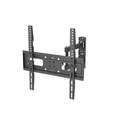
Our Universal Low Profile Fixed TV Mount Bracket is designed to be highly versatile, with adjustable mounting plates that can accommodate a wide range of VESA patterns. This makes it suitable for most smart TVs on the market, whether they are small 32 - inch models or larger 65 - inch ones.
In addition to the VESA pattern, the weight capacity of the wall mount is also a critical factor. Larger and more advanced smart TVs tend to be heavier due to their bigger screens and additional features. For instance, an 85 - inch smart TV can weigh significantly more than a 55 - inch one. Our Heavy Duty Fixed TV Wall Mount 85 Inch is specifically engineered to support the weight of large - sized TVs up to 85 inches. It has a robust construction and high - strength materials to ensure long - term stability.
Wall Type and Structure
The type of wall on which you plan to mount the smart TV is another important consideration. Different walls have different load - bearing capacities and require different mounting techniques.
Drywall: Drywall is a common wall type in many homes. However, it is relatively weak on its own and cannot support the weight of a TV without additional reinforcement. When mounting on drywall, it's essential to locate the wall studs and attach the wall mount directly to them. Wall studs are vertical wooden or metal beams behind the drywall that provide structural support. If you can't find the studs, you can use drywall anchors, but they have a limited weight - holding capacity. Our installation guides provide detailed instructions on how to use drywall anchors safely when necessary.
Concrete or Brick Walls: Concrete and brick walls are much stronger and can support heavier loads. To mount a TV on these walls, you'll need to use masonry anchors. These are specialized fasteners designed to grip into the hard surface of concrete or brick. Our wall mounts come with the appropriate hardware for mounting on concrete or brick walls, including high - quality masonry anchors that ensure a secure installation.
Height and Viewing Angle
The height at which you mount the smart TV on the wall can significantly impact your viewing experience. The ideal height is usually at eye level when you are sitting in your normal viewing position. This helps to reduce neck strain and provides the most comfortable viewing angle.
For a living room setup, a general rule of thumb is to mount the center of the TV screen about 42 inches from the floor. However, this can vary depending on the height of your seating and the size of the TV. For example, if you have a large 75 - inch TV, you might need to adjust the height slightly to ensure the entire screen is within a comfortable viewing range. Our Slim Fixed Wall Mount for 75 Inch TV allows for precise installation, enabling you to achieve the perfect height and viewing angle for your 75 - inch smart TV.
Cable Management
Proper cable management is another aspect that is often overlooked but is crucial for a clean and organized installation. Smart TVs typically have multiple cables, including power cords, HDMI cables, and audio cables. Leaving these cables exposed can make the installation look messy and pose a tripping hazard.
Many of our fixed wall mounts are designed with cable management features. For example, some models have built - in cable channels or clips that allow you to route the cables neatly behind the TV and along the wall. This not only makes the installation look more professional but also protects the cables from damage.
Safety Considerations
Safety should always be a top priority when mounting a smart TV on a fixed wall mount. Here are some safety tips to keep in mind:
- Double - check the installation: Before hanging the TV on the wall mount, make sure all the screws are tightened properly and the mount is securely attached to the wall. Give the mount a gentle shake to ensure it doesn't move or wobble.
- Use a level: Use a spirit level to ensure that the wall mount is perfectly horizontal. An unevenly mounted TV can not only look unappealing but also put additional stress on the mount and the TV.
- Keep children and pets away during installation: Installation can be a dangerous process, with tools and heavy equipment involved. Make sure to keep children and pets at a safe distance to avoid any accidents.
Conclusion
Mounting a smart TV on a fixed wall mount requires careful consideration of several factors, including TV - mount compatibility, wall type, height and viewing angle, cable management, and safety. As a fixed TV wall mount supplier, we are committed to providing high - quality products that meet these requirements and ensuring that our customers have a hassle - free installation experience.


If you are planning to mount a smart TV on a fixed wall mount and have any questions or need assistance in choosing the right product, please feel free to reach out to us. We have a team of experts who can provide you with professional advice and guidance. Whether you need a wall mount for a small TV in your bedroom or a large - scale installation in a commercial space, we have the perfect solution for you. Contact us today to start the procurement process and let us help you create the ideal viewing setup.
References
- VESA Standards for Mounting Interface Dimensions. Video Electronics Standards Association.
- Home Improvement Guides on Wall Mounting. Various DIY websites and home improvement magazines.